When working on a javascript application (i.e: a react app), you probably work with webpack. Your local development setup will most likely be watching changes on your files and doing repeat builds throughout the development process.
It’s important to get used to webpack output. Being able to pick up important details from it. Webpack output is not particularly difficult but there is a cleaner, more organized way, using webpack-dashboard.
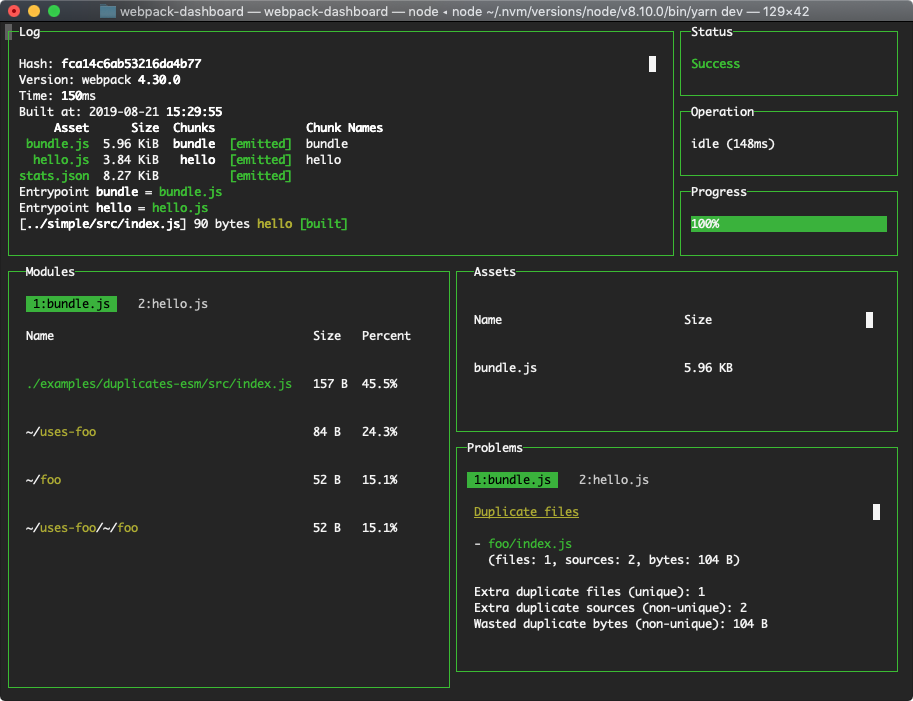
Webpack-dashboard is an interactive command line output that gives you the summary and important stuff you need to see about your build quickly.
Related Posts
- 2 min readUsing Airtable through its API programmatically, as (almost) remote database
- 3 min readPHPStorm: Most advanced PHP IDE so far
- 11 min readTaming Claude Code
- 1 min readBetter CMD+R - Improved command line history using Atuin
- 5 min readStoring large web app state in URL using pako
- 3 min readKokoro.js: Minimal Text-to-Speech API Model for In-Browser Use
Share